
Detailed workflow guide
Review generated test history
Generated test history helps teachers find previous local test files, reopen details, review exported bundles, and reuse classroom materials only after checking the actual files.
Teacher goal
How do I reopen previous generated tests and exported bundles safely?
Use this guide when this is the task in front of you. Stop if the selected class, learner, role, school year, file, or output does not match.
In-app path
- Test Builder
- Generated tests
Get ready
Check the starting point
These are the minimum conditions for the workflow to make sense.
Before you start
Estimated time: About 5–10 minutes
- A previously saved generated test or local packet
- The local file or workspace history still available
- Time to reopen the actual files before reusing them
You should see
Generated tests shows the intended saved test version and the local files available to open, reveal, or continue.
Steps
Complete the task in order
Review choice points, save or preview behavior, and any stop condition before continuing.
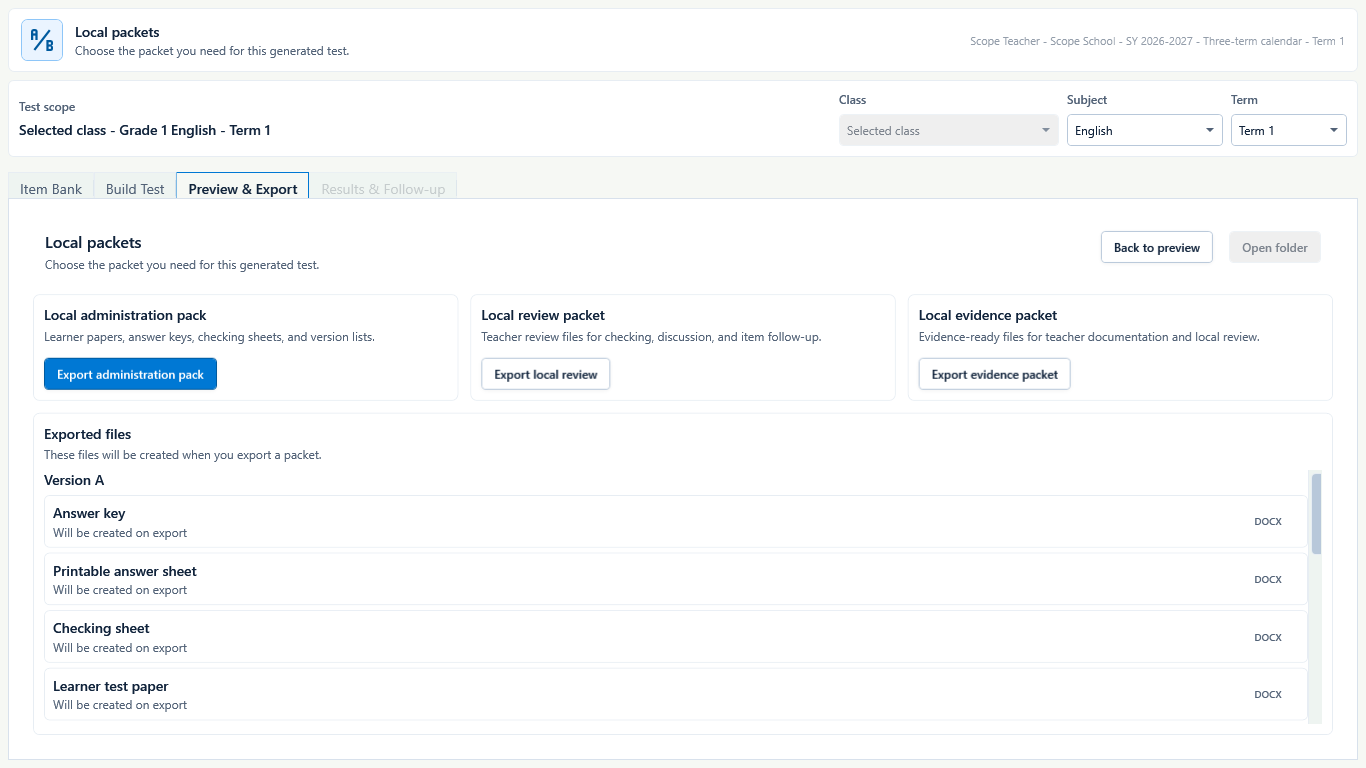 View full size
Captured July 10, 2026. Step 1
Open generated tests
Use Generated tests or previous test history when the app shows saved local test outputs.
- 2
Step 2
Choose the right saved test
Check title, class, subject, date, item count, and file status before opening.
- 3
Step 3
Open exported files
Open the learner paper, answer key, and exported bundle files from the local output folder.
- 4
Step 4
Review before reuse
Confirm item order, answer separation, formatting, and classroom fit before reusing or sharing.
- 5
Step 5
Use as teacher-owned material
Treat previous generated tests as local classroom materials that the teacher reviews and adapts.

Review
Check these before relying on the work
These checks cover saved, previewed, generated, and teacher-review states.
Correct test selected
The saved test should match the class, subject, and date the teacher expects.
Files still exist
Generated history should point to files that are still available on the device or backup.
Bundle is opened
Open the actual exported files before using them again.
Answer key stays separate
Confirm learner-facing files do not include answer-key content.
Blocked states and recovery
Fix the blocker before continuing
Use the direct recovery action when GuroAssist is waiting for setup, data, access, policy, or file readiness.
No generated tests yet
Create and export a test before history has saved files to show.
After recovery: The blocker is no longer shown, and the intended next action is available for teacher review.
Review generated-file helpFile moved or deleted
Use Files workspace, the saved folder, or backups to find the output.
After recovery: The backup or restore summary shows the intended local workspace and a clear success or recovery state.
Open backup and restore helpOutput was blocked
Resolve missing setup, Paid access, or generation readiness before expecting a finished bundle.
After recovery: Paid access and any required credits are shown as available for this action.
Open activation helpReview not complete
Do not reuse a generated test until the teacher opens and checks the files.
After recovery: The blocker is no longer shown, and the intended next action is available for teacher review.
Review generated-file help
Safety note
Generated test history is local output history. Teachers should reopen previous generated tests, review exported files, and use them only as teacher-owned classroom materials.
Finish
Verify the result
Do not treat a saved screen or generated filename as proof that the work is ready.
You’re done when
Generated tests shows the intended saved test version and the local files available to open, reveal, or continue.
Guide details
Guide verification
Use these details to confirm that this guide matches the GuroAssist version and school year you are using.
- Verification
- Verified with GuroAssist 1.0.0.0
- Last reviewed
- July 11, 2026
- Screenshots
- Captured July 10, 2026
- Applies to
- 2026–2027
Was this helpful?
Choose an answer or report a guide that needs attention. No class, learner, or free-text data is sent by these buttons.
Related guides
Continue only where it helps
Find generated files in GuroAssist
How do I find and review generated files after they are created?
Use Test Builder Guided Build
How do I build a test while preserving my question-type order and answer safety?
Understand file status labels
Learn what Local, Draft, Final, Official-ready, Review-only, and Blocked mean.