
Install
Install GuroAssist on a Windows laptop
Follow the official install path, review the Windows warning, and keep teacher files in the local workspace.
Install steps
Use the official installer
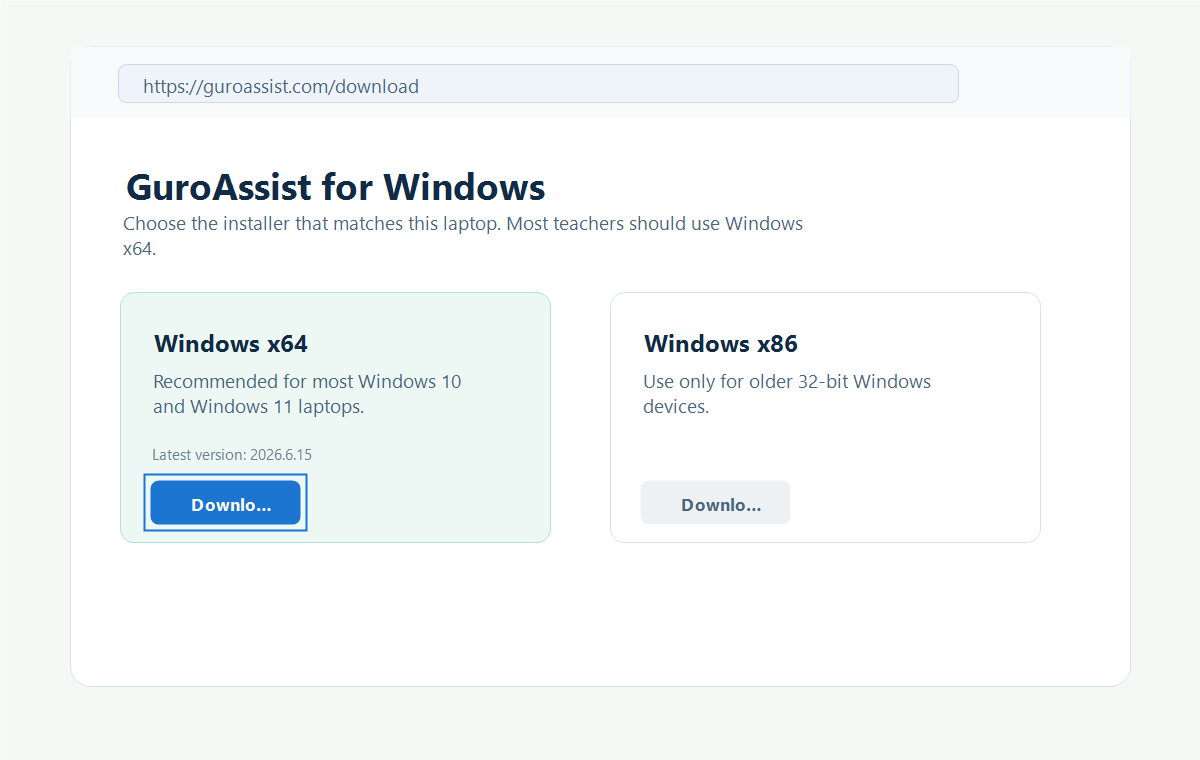
These are the same screenshots from the Download page, with the source and checksum checks called out.
 View full size
Choose the installer that matches the Windows device; x64 is the normal choice for current laptops. Captured June 15, 2026. Step 1
Open the Download page
Use the Download page as the only teacher-facing place for the Windows installer. Choose Windows x64 for most laptops.
Use Windows x86 only for older 32-bit Windows devices.
 View full size
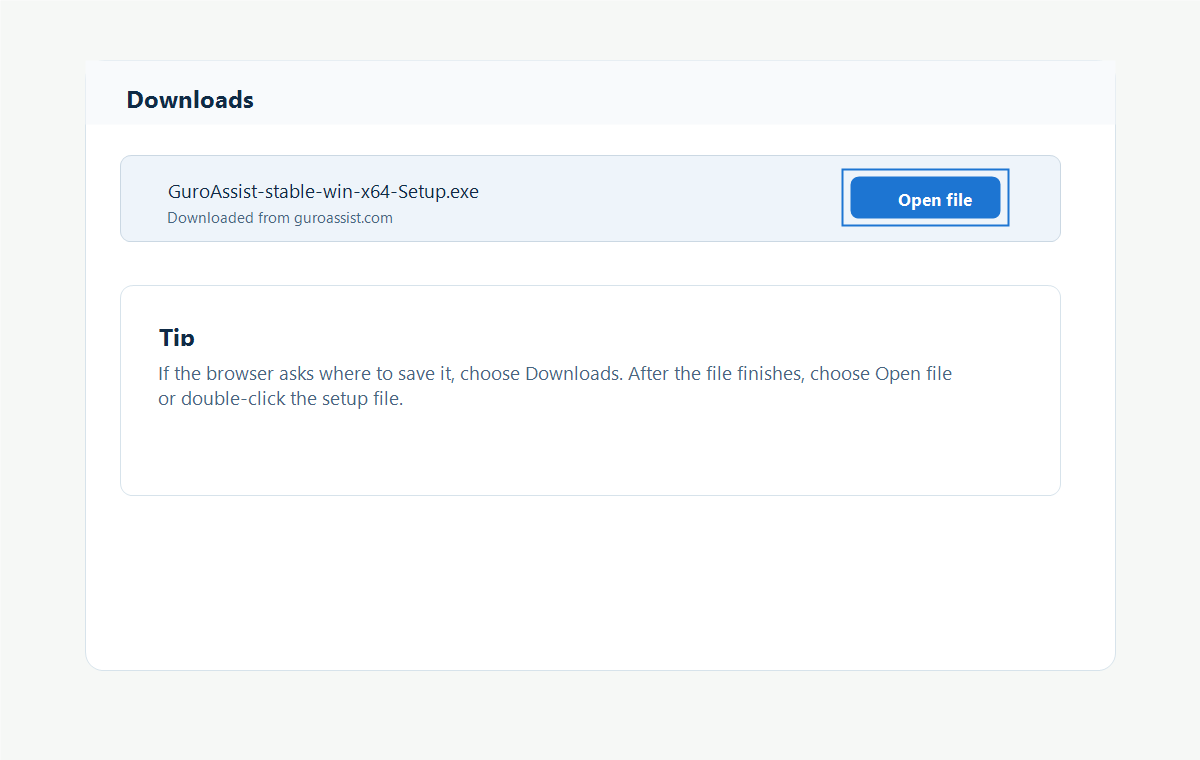
Open only the setup file downloaded from guroassist.com. Captured June 15, 2026. Step 2
Open the setup file
After the file downloads, choose Open file in the browser or open the setup file from Downloads.
 View full size
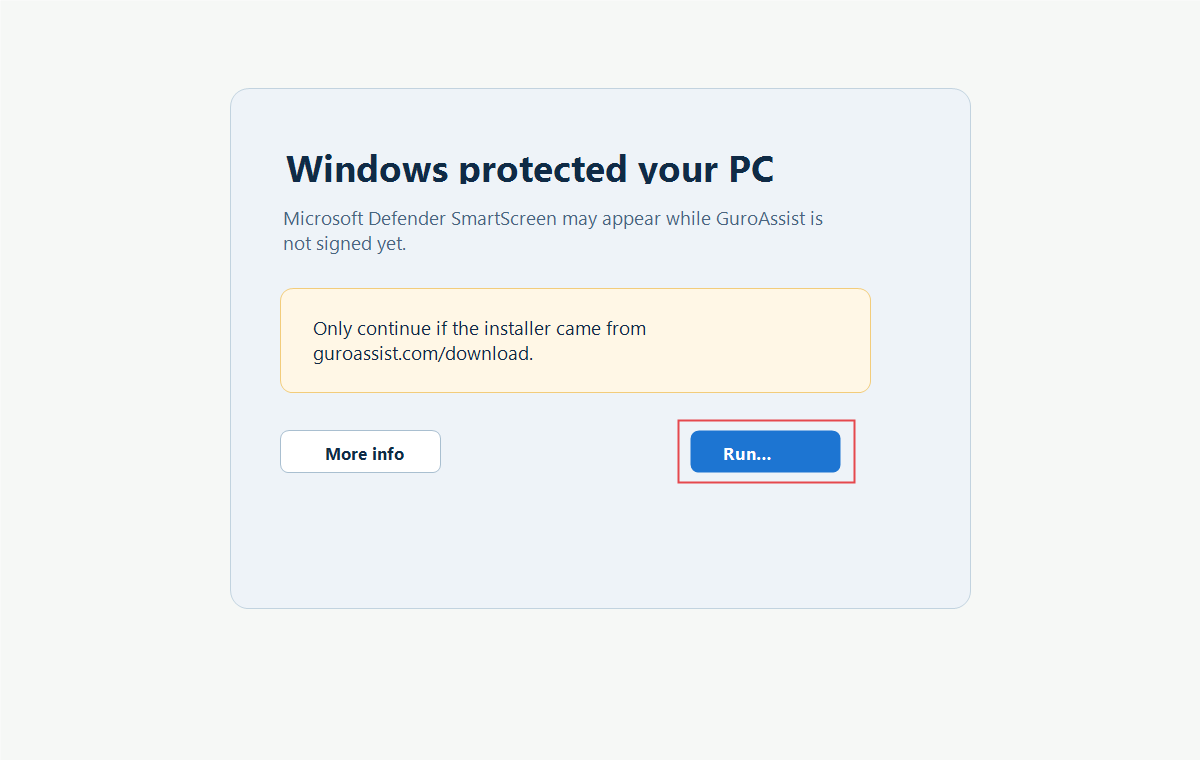
Cancel when the download source, file name, or checksum does not match. Captured July 9, 2026. Step 3
Review the Windows warning
An unsigned release may show Unknown publisher. Continue only when the installer came from the GuroAssist Download page and its file name and SHA-256 checksum match the published details.
Do not run an installer from another website or when the checksum does not match.
 View full size
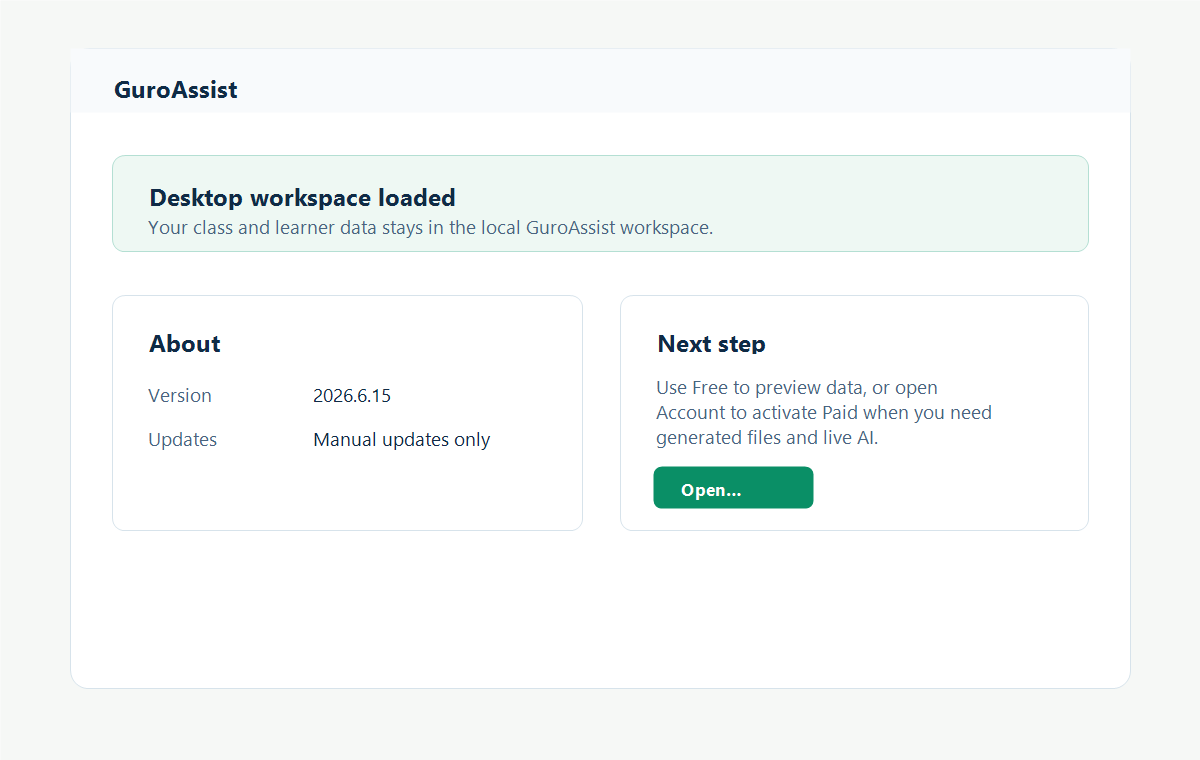
Opening the new version does not move the local workspace online. Captured June 15, 2026. Step 4
Open GuroAssist
Start GuroAssist after installation. Existing class and learner data stays in the local GuroAssist workspace.


Updates
What update checks send
GuroAssist checks whether a safe installer is available without moving teacher class files.
Version
The app version helps GuroAssist decide if an update is available.
Update channel
The update channel keeps x64 and x86 installers separate.
Device type
The device type helps choose the right Windows installer.
Local files stay local
Class records, learner records, backups, drafts, and generated files stay in the local workspace.
Download safety
Unsigned releases may show Unknown publisher. Download only from the official page and compare the published file name and SHA-256 checksum before running setup.
Guide details
Guide verification
Use these details to confirm that this guide matches the GuroAssist version and school year you are using.
- Verification
- Verified with GuroAssist 1.0.0.0
- Last reviewed
- July 11, 2026
- Screenshots
- Captured June 15–July 9, 2026
- Applies to
- 2026–2027
Was this helpful?
Choose an answer or report a guide that needs attention. No class, learner, or free-text data is sent by these buttons.